DAV Digital Magazine Landing Page
DAV's Magazine, a veteran publication for those who served, has been in print circulation since the 1960s, providing members with the latest organizational news.


DAV's Magazine, a veteran publication for those who served, has been in print circulation since the 1960s, providing members with the latest organizational news.
The DAV magazine is a printed and mailed publication that circulates news about the organization to its nearly one million members. The magazine features articles on initiatives undertaken by the organization, updates on leadership, topics of interest to veterans, staff appointments, and membership deaths.
Limited magazine articles were posted on DAV's website (https://www.dav.org), and it was requested that a more robust magazine section be built out on the website.
The list of requirements:
1. User Engagement
Increase user engagement with the magazine articles.
2. Content Sharing
Create the ability for magazine content to be shared on social media, and then linked back to the site.
3. Search Functionality
All website content will be able to be searchable through the site search functionality.
The current landing page is limited in terms of the content available on the dav.org website. Notably, there are no individual articles on this page, and the scope of any previous magazine content is missing. Clicking on any of the links directs the user to a third-party site that presents a PDF layout. This limitation restricts the SEO and searchability of dav.org, which is a stated objective of this project to address.

This involved reviewing the latest magazines with the team responsible for their creation and production. All content was categorized and discussed in detail, considering how each piece could be integrated into the website. Questions such as "Could anything be left out?", "What should we do with this section?", and "How can we incorporate articles from the earliest magazines?" were thoroughly explored as a team. Current magazines were analyzed to determine their flow and identify any potential similarities that could be replicated on the website. The stakeholders expressed their preference for websites like https://www.theatlantic.com and https://www.nytimes.com, and inquired if the new landing page layout could be designed to have a similar aesthetic.
It was determined that all magazine articles had to fit within one of these categories:
Although all articles could stand on their own, there was still a desire to connect to them with the magazine issue. So each article would not only have one category (listed above) tied to them, but also a magazine edition tag (example: November | December 2025 Edition) would be required as well.
The solution I came up with was to have a landing page that would house the most recent content, structured by category, with the option for a "featured" post and a "highlighted" post that would have more prominent content. From there users can navigate to individual posts, archives based on category, an inquiry form to reach out to a DAV representative, and a magazine download archives page.

Before any wireframes were created, existing site components were assessed to see if any could be reused, so the wheel wasn't being re-created. It was determined that we could reuse our action box component, news post component, page title component, and tweak a few others to build out the landing page.

The top post will be the newest featured article, while the rest of the categories (articles, commentaries, staff appointments, reflections, in remembrance, service spotlights, legislative spotlights, and a random article from the archives) will be displayed.
So now users can click through each of the existing magazine articles. They can see them structured by content type and share links with others and across social media channels.
Individual articles will start with a title, summary, author, category, and the ability for a user to listen to the article with a play button. A featured image (if applicable) will follow, and the body content comes after that. Each article will close with a call to action for the user to find more relevant content, and showcase the magazine the article came from.
The archives will show all the articles in cronological order with the ability search all magazine articles.


I leaned into our existing site design system when coming up with the new pages/components.

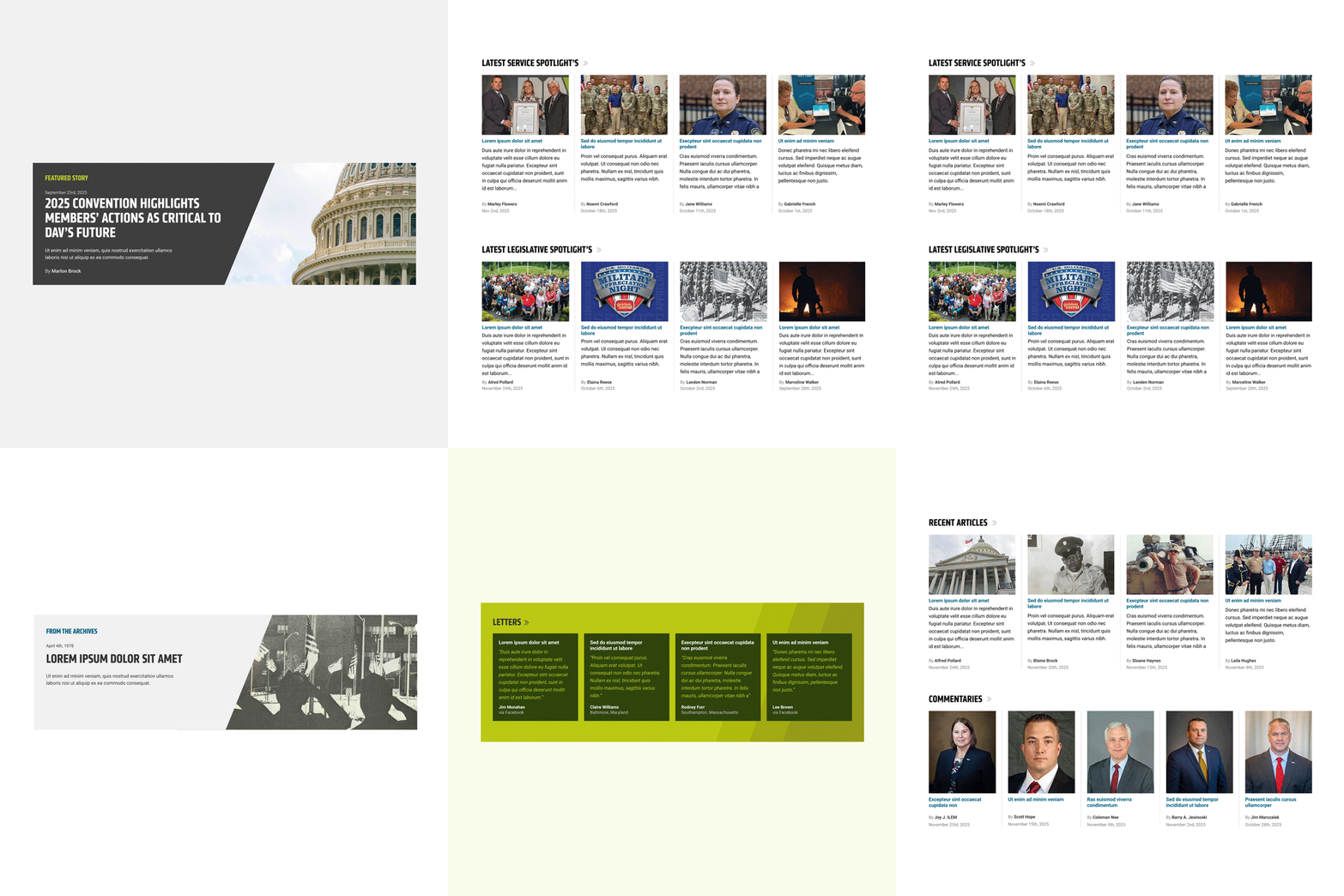
These types of posts get a full-width treatment to highlight their importance. Listed at the top and middle of the page, users can easily identify that there is more significance to what content is in this article.


A maximum of 4 stories display in a row. The category is listed at the top to provide a clear hierarchy for users with a link in the form of a double chevron to navigate the user to an archive list of all articles in that category. A featured image will be present for each article, and will be clickable to navigate to the article, the same with the title. The summary gives a preview of what the article is about and the date is present to show when the article was published. The author will be linked to the author's page, so users can see all articles they have published.


Four articles are also displayed in this component, but a more prominent article takes precedence on the left side. All articles share the same features: a featured image, title, summary, author, and published date.

Three articles highlight this layout. This one is used more for posts where the featured image is a profile shot.

Following the requirements, users can navigate to a single article. Here users can read, or listen, to more information about a specific topic or resource. At the bottom of each article there will be a call to action to click a link to learn more, or check out more articles from the specific article.


Archives
Users can view all articles in a cronological order, and have the ability to search only magazine articles.

When working in Figma it is important that to organize my file in a way that I can understand the layers for later development or handoff to another developer.

Bringing everything together, below are three final designs. The home page is where users can find a high level overview of all the content types that are in the magazine. They have the ability route to all the different sections.
The individual article is where all the great content is laid out, and the user can find everything they need for the said topic.
Finally, the archives page is where user can find all past articles, by either paginating through, or using the search bar.


1. Cost Savings
With all the magazine content residing on the website, future reduction in printing costs will be a reality.
2. Content Sharing
Users will share content on social media that will be trackable with UTM link tracking.
3. Search Functionality
Magazine content will be searched by users on the site, including all legacy articles.
Are you wanting to work with me in the future, or are you looking for more information about me? Use the links below to either contact me or find out more about my professional experience.